Software Dev

Xcode Build Time Optimization

Build-time optimization is not my favorite topic. It is truly not sexy. 🤷🏻‍♂️ I just want to write good code and run it without worrying about complier options and other distractions.

But I must admit that unless you love sitting around on your hands waiting to test your latest code change, this is good info to know. ⏱🤓

This post explains exactly how to measure build times, target by target and task by task. Also, how to set up warnings for specific files taking a long time to process. You can even get a nice visual report like this:

👉 Xcode Build Time Optimization

And Part 2 gives you guidance on build settings optimizations, source code improvements, and project enhancements.

Via iOS Dev Weekly.

Software Dev

Communication Patterns in SwiftUI

Are you wondering how to get some information from one component to another in SwiftUI? Too many options to consider? This helpful post walks you through all the scenarios.

👉 View Communication Patterns in SwiftUI

Cheat sheet:

  •  From Parent to Direct Child – Use Initializer
  • From Parent to Distant Child – Use Environment
  • From Child to Direct Parent – Use Bindings and Callbacks
  • From Child to Distant Parent – Use PreferenceKey
  • Between Children – Lift the State Up

Via iOS Dev Weekly.

Software Dev

Using Protocols to Remove the Network Layer from Your iOS App

Most of us developers know can we can should abstract the network layer to support mocking, unit testing, and just to produce a more flexible design.

While lots of us know this, in practice it seems to get overly complicated and not always done well. A good design should simplify things, not complicate things. This is why I like this post focusing on using protocols to simplify network requests and improve testability. It even gets into decoding responses to give you a useful end-to-end flow.

👉 Removing the network layer in your iOS app

Even better, this is part of a Power of Protocols series (yay!).

Software Dev

Playbook

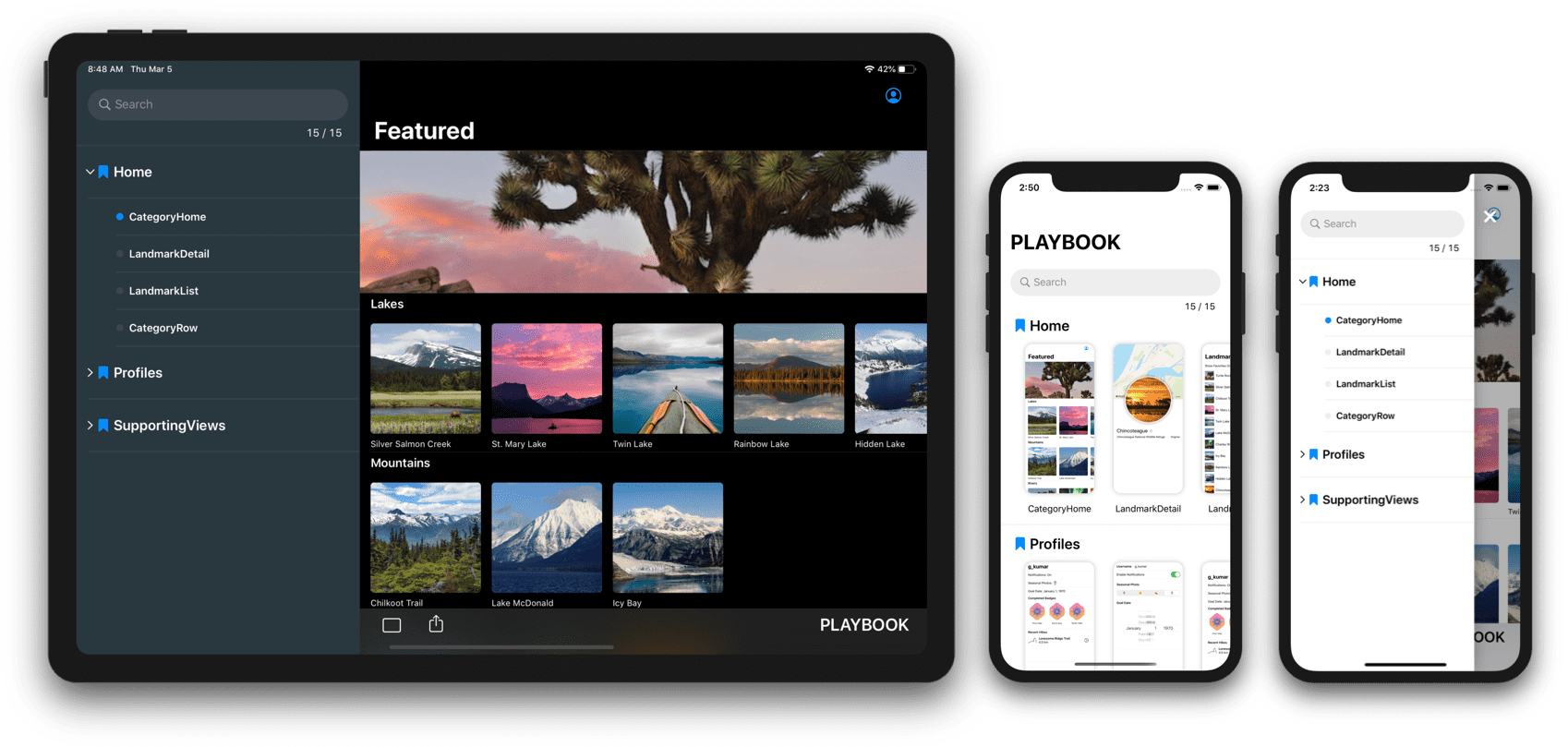
Developing features for a large, established app, I often run get slowed down trying to throw together a new screen. You have to find the right spot in the code to update, build the whole app (not just what you changed), log in, and drill down to the right spot to try out your creation. Something’s off? Do it all over again.

Which is why I love the idea of the Playbook library, which is “a library that provides a sandbox for building UI components without having to worry about application-specific dependencies.” Yass! 🤟

👉 Playbook on GitHub

Supports both SwiftUI and UIKit.

playbook

Via iOS Dev Weekly.