
Here’s a super-simple tip from Xcode Tips for making your Xcode console output more readable.
👉 Improve Debug Output | via iOS Dev Weekly
Also, I really like Xcode Tips’ abstract cartoonish style.
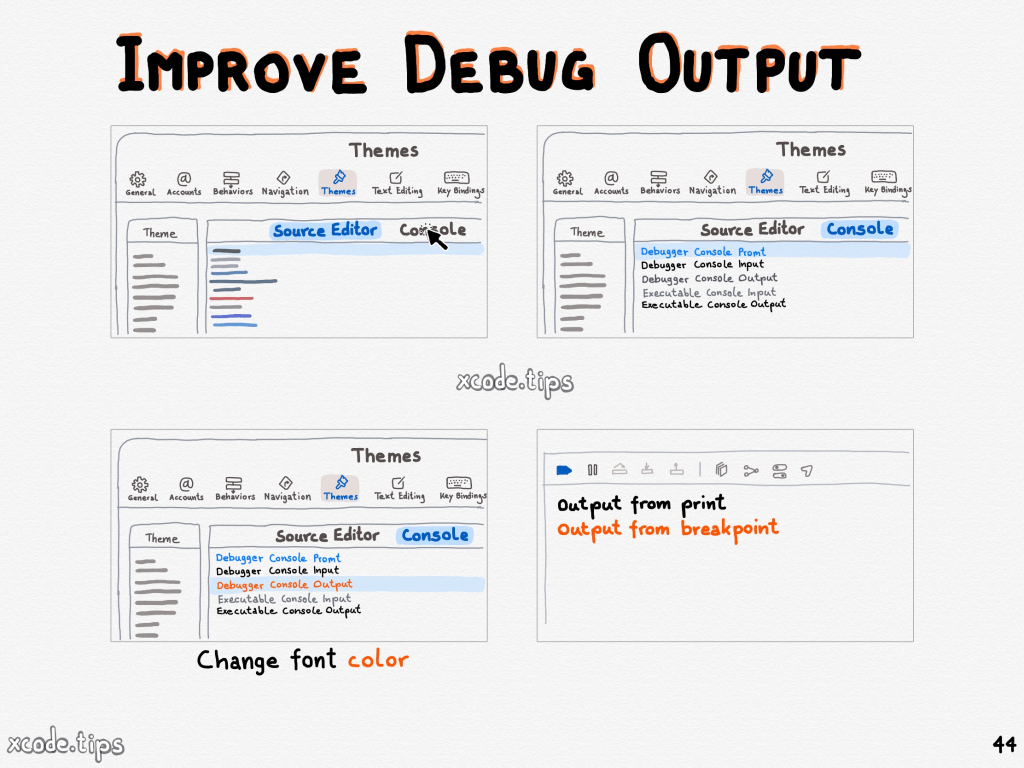
Here’s a super-simple tip from Xcode Tips for making your Xcode console output more readable.
👉 Improve Debug Output | via iOS Dev Weekly
Also, I really like Xcode Tips’ abstract cartoonish style.
I always found the “favorites” feature in Apple Maps to be too general and dissatisfying. I quit using that feature once I had 48 places saved all across the world. 🤷🏻♂️
Before that, I saved specific lists of places in Google Maps, but found their mobile app to be cluttered and confusing. 😖 So I gave up and started using Trello.
Trello is cool for some things like trip planning and small projects, but it did not scale well and didn’t handle lists of places well. So I gave up on that. 😢
I’m happy to have just discovered that you can save your favorite places as “guides” in Apple Maps. Finally, this is genuinely useful!
I just set up my own guide for coffee places open early for when I’m looking to get our early. Quick and easy and right to the point! 🤩. I can immediately see all the places I saved and their hours. Check it out for yourself! (This is my own personal guide, so it’s focused on Austin, TX.)
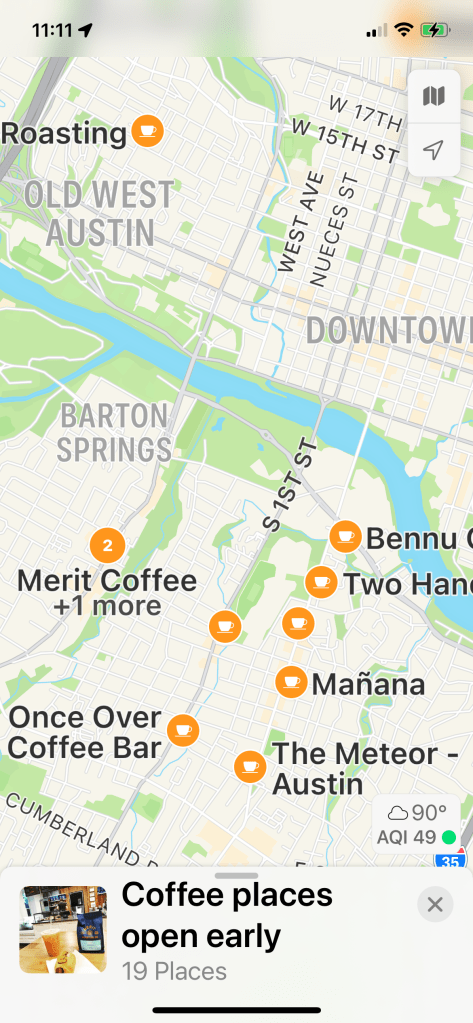
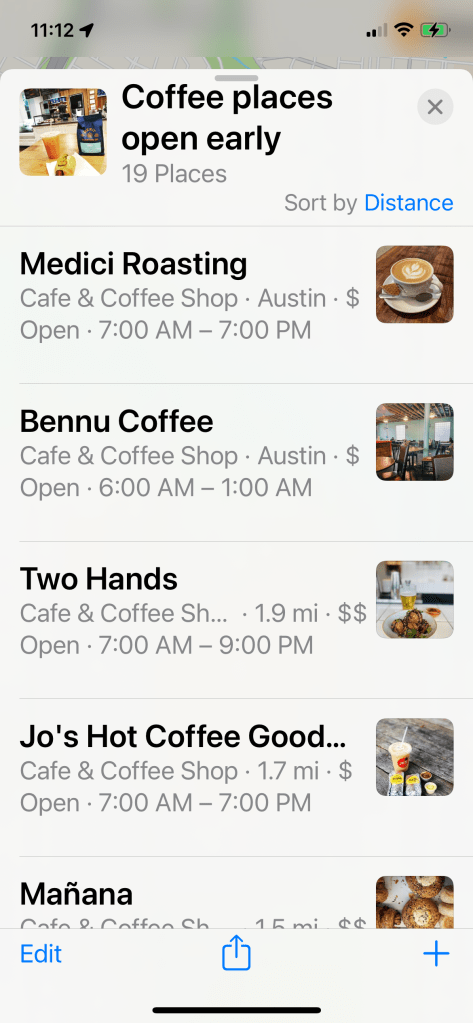
Of course this guide automatically syncs to my iPad and Mac as well. ✅
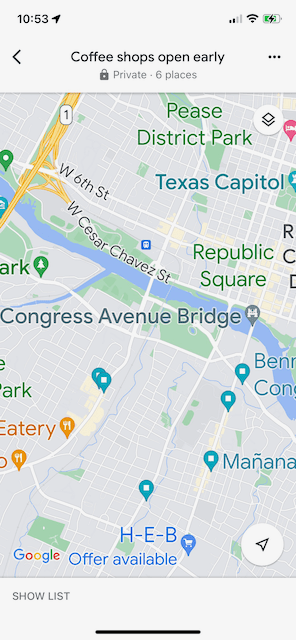
Forgive me if I sound like an fanboy, but out of genuine curiosity I went back and I did the same thing in the latest Google maps. It was a bit painful. 😢
Notice how the “main” screen is oddly not a map but more of a picture of a cup of coffee and therefore not useful to me.
And even when I drilled into an actual map view, the places I care about are unlabeled in favor of (1) a notification that HEB has an offer and (2) the Texas Capitol and Congress Ave. Bridge exist. Again, not useful.
I just want to know where a coffee shop is open at 7am! Now that would be useful. 👆

While I’m on this cheatsheet kick, here’s a nice downloadable one for Git.
👉 Gitcheat sheet from Atlassian
This is super helpful since the git command line is so dense with myriad options.
I’d been meaning to get together quick reference with easy access to links and examples. And now iOS Dev Weekly has found someone who already took care of it, and in great style.
Swiftly has a nice quick summary of various Swift syntax, etc.
👉 Swiftly: Swift 5.7 references for busy coders
And iOS Ref has things like resolution by device, dev tools, App Store guidelines, etc.
Nice job, Eugene Belinski!
I think we could use something like this for SwiftUI… 🤔
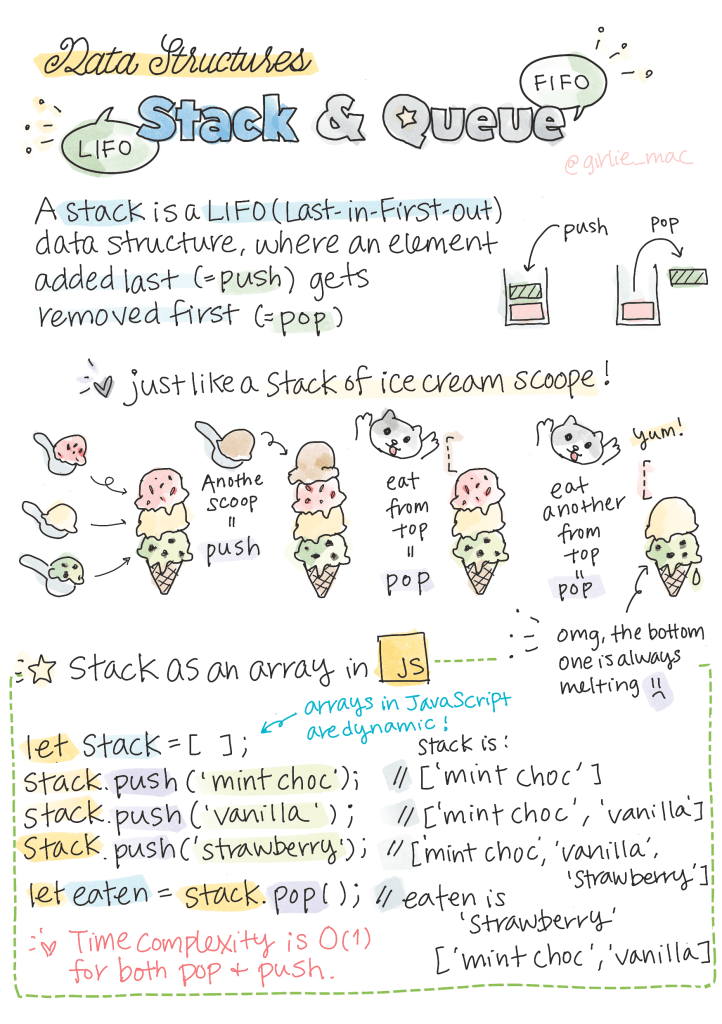
I’m a big believer in sketching complex ideas visually out to break them down and understand them better. Drawing also helps you better remember things.
I won’t put my own sketches here, as they tend to be pretty ugly with lots of crossed out areas and re-do’s.
But girliemac on GitHub has an amazing repo of her own pro-level tech doodles.
The Algorithms / Data Structures section is the most compelling to me, but it also covers web dev, machine learning, and more.
Via iOS Dev Weekly.
 Mental Break Town