
Curious little guy 🐶 (not my dog 🤷🏻♂️). #dog #coffeeshop #macbookair #austin #texas #atx #inspiration #notmydog via Instagram https://instagr.am/p/C0RhNf5uC1I/

Curious little guy 🐶 (not my dog 🤷🏻♂️). #dog #coffeeshop #macbookair #austin #texas #atx #inspiration #notmydog via Instagram https://instagr.am/p/C0RhNf5uC1I/
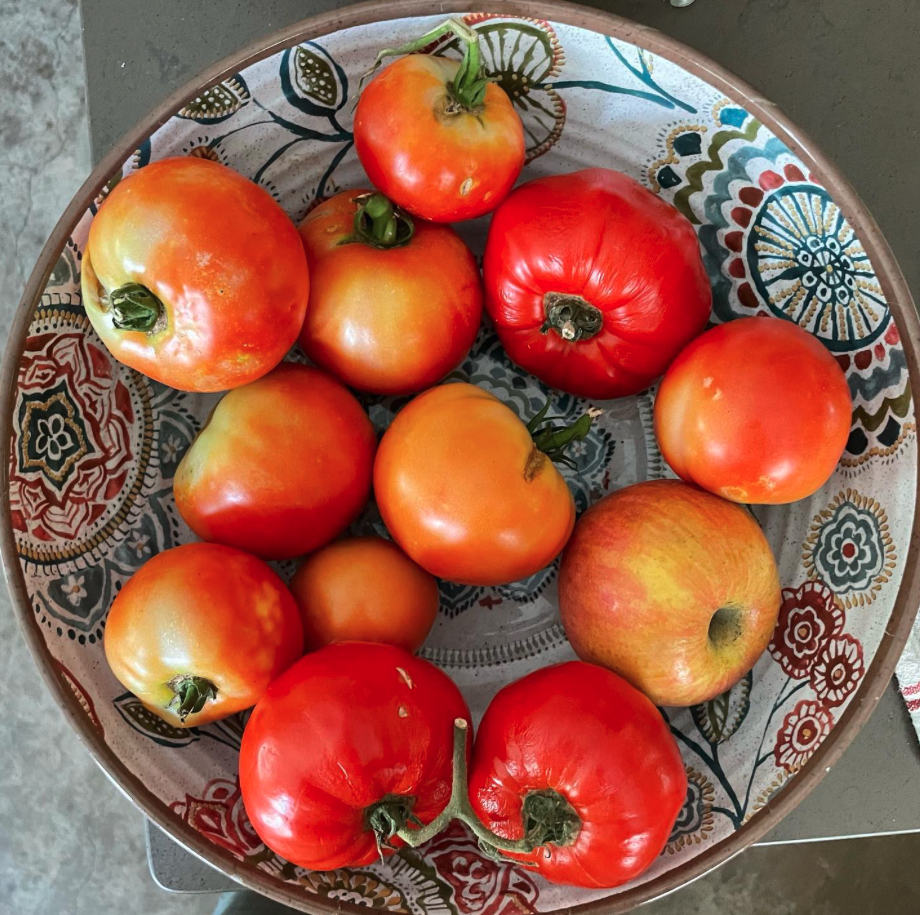
There are 11 tomatoes and one apple in this basket. Can you spot the apple? (Also, what do I do with all these tomatoes? 🤔) #tomatoes #gardening #apples #urbangardening via Instagram https://instagr.am/p/Cub8EkrufzW/
Whenever I get stuck on a sticky problem in SwiftUI, I keep referring back to this great video from WWDC21 for context.
The video provides the bigger picture of how SwiftUI works with great analogies to the real world for better understanding.
I thought I’d give this video the super summary treatment to boil it down the most ideas that you can absorb at a quick glance. Refer to the full video 👆 for more info.
Identity is how SwiftUI recognizes distinct elements throughout the view’s lifetime.

Identifiers should be stable and unique; it acts like a key. Multiple views cannot share the same identifier.
Choosing a good identifier is your opportunity to control the lifetime of your view and data.
Explicit identifiers are like a dog name and are set with the id parameter. An explicit id is helpful if you want to refer to the view from other views.

Implied identifiers are an inherent identity based on the view’s structure, represented as if statements and other conditions in SwiftUI.

Lifetime tracks an existing view’s data over time. For example: the same cat (per identity) can be awake, asleep, annoyed, hungry, etc. over time.
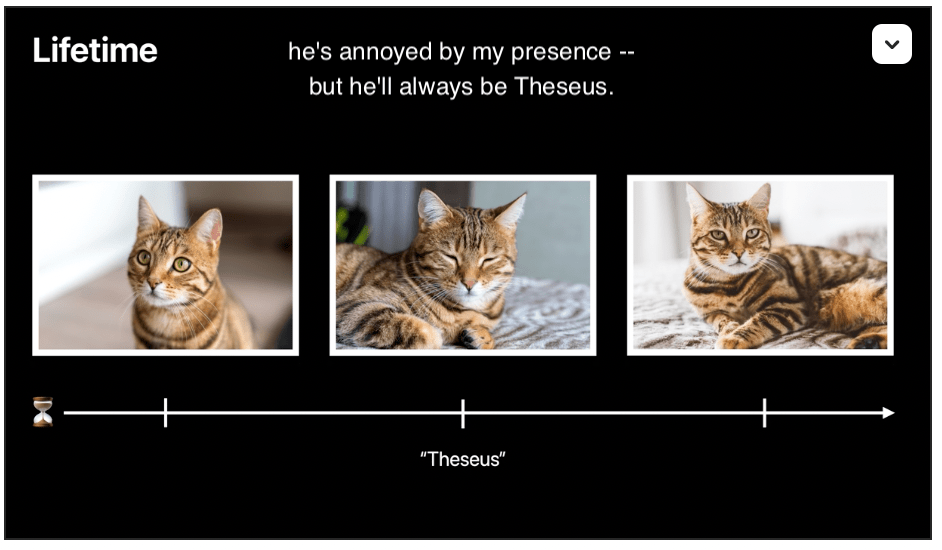
Whenever identity changes, the state is replaced.
Dependencies are how SwiftUI understands when your UI needs to be updated.
Dependencies are the vars on the view, ie. Binding, State, Environment, ObservableObject, etc.

These data elements combine to create a dependency graph that SwiftUI uses to trigger view updates.
Inert modifiers are cheap and encouraged over branches (structurally different, separate implied identifier).

I always found the “favorites” feature in Apple Maps to be too general and dissatisfying. I quit using that feature once I had 48 places saved all across the world. 🤷🏻♂️
Before that, I saved specific lists of places in Google Maps, but found their mobile app to be cluttered and confusing. 😖 So I gave up and started using Trello.
Trello is cool for some things like trip planning and small projects, but it did not scale well and didn’t handle lists of places well. So I gave up on that. 😢
I’m happy to have just discovered that you can save your favorite places as “guides” in Apple Maps. Finally, this is genuinely useful!
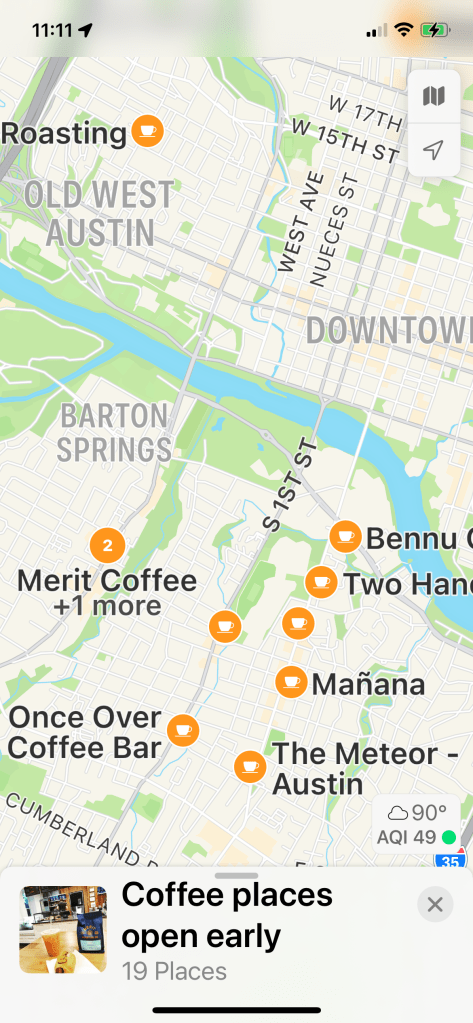
I just set up my own guide for coffee places open early for when I’m looking to get our early. Quick and easy and right to the point! 🤩. I can immediately see all the places I saved and their hours. Check it out for yourself! (This is my own personal guide, so it’s focused on Austin, TX.)
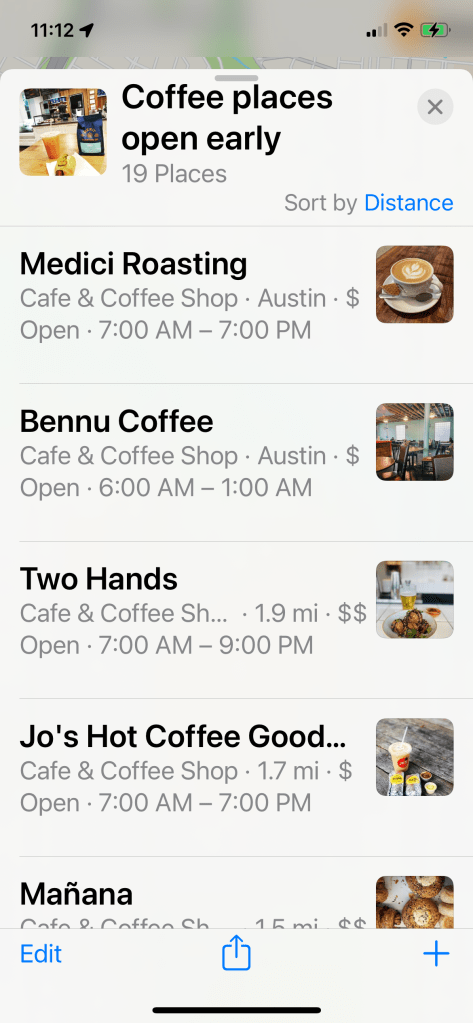
Of course this guide automatically syncs to my iPad and Mac as well. ✅
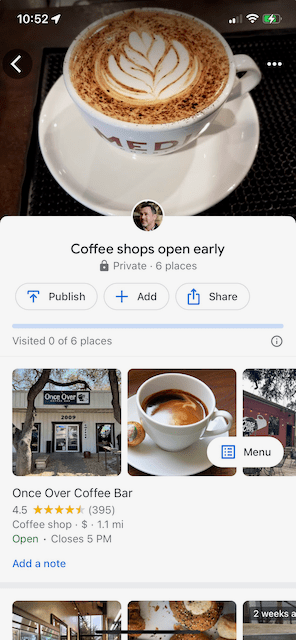
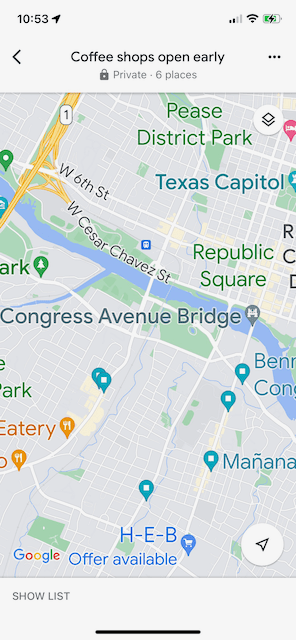
Forgive me if I sound like an fanboy, but out of genuine curiosity I went back and I did the same thing in the latest Google maps. It was a bit painful. 😢
Notice how the “main” screen is oddly not a map but more of a picture of a cup of coffee and therefore not useful to me.
And even when I drilled into an actual map view, the places I care about are unlabeled in favor of (1) a notification that HEB has an offer and (2) the Texas Capitol and Congress Ave. Bridge exist. Again, not useful.
I just want to know where a coffee shop is open at 7am! Now that would be useful. 👆
Looking for some tips on tricky Apple development issues like refactoring your storyboard, customizing the appearance of UINavigationBar, or an overview of the iOS Wi-Fi API?
Get it straight from the source on the new Apple Technotes.
Technotes are focused, timely documents from Apple Developer Technical Support. They explore a wide range of development topics and provide guidance for developers creating apps and accessories for all of Apple’s platforms.
Via iOS Dev Weekly.
 Mental Break Town