
Getting back into some older UIKit code at work, I’m bookmarking this site for the inevitable Auto Layout errors.
Obviously, WTF is short for “Why The Failure?” 😉
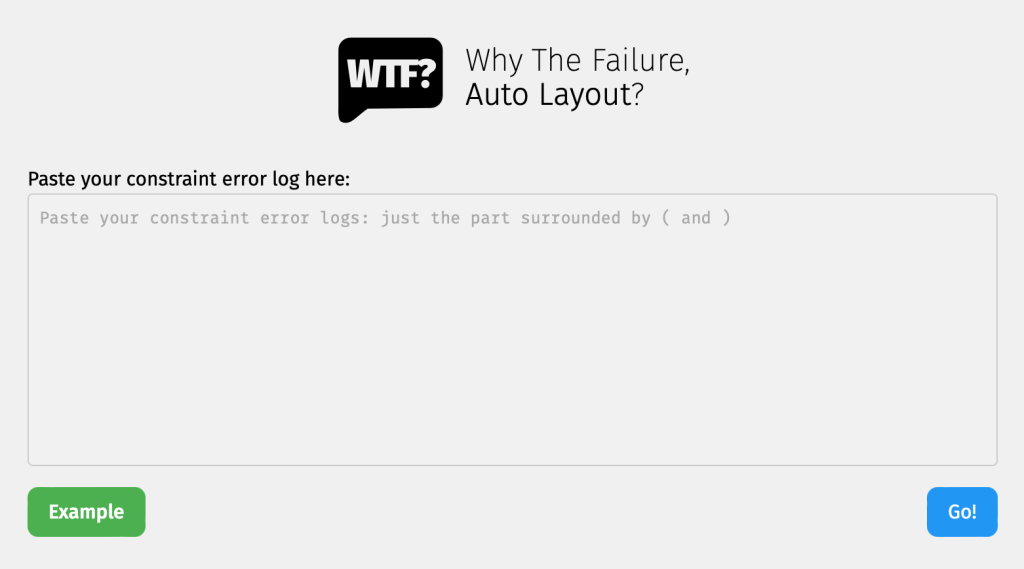
Getting back into some older UIKit code at work, I’m bookmarking this site for the inevitable Auto Layout errors.
Obviously, WTF is short for “Why The Failure?” 😉
For years, at least in the iOS world, the idea of automatically testing your UI views was considered out of pocket. After all, the UIKit views lived in non-code files such as a storyboard or a – good lord! – a XIB.
Then came Apple’s XCUI framework, which allows for automatic UI test but takes, more or less, forever to run. I’ve seen XCUI test plans run for 3 hours, 6 hours, even 24 hours. It kind of works for a nightly test on a dedicated server, but not in realtime as you code.
But with SwiftUI, you get concise, clean, cross-platform view-layer code and can now test SwiftUI view as, well, code! This mean you can unit test your views 🤯, thanks in particular to the open source ViewInspector framework.
ViewInspector lets you traverse your view hierarchy at runtime, asserting values as you go in traditional unit-test style.
According to the Inspection Guide, ViewInspector supports dynamic testing of @Binding, @ObservedObject, @State, @Environment and @EnvironmentObject. You can even interact with the interface, such as tapping a button and checking the result.
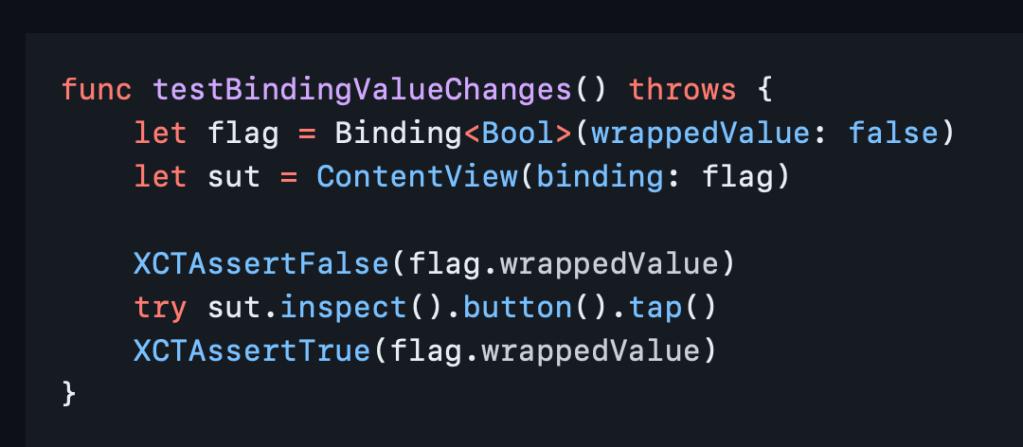
And it all runs in blazing fast unit test speed 🚀 so your tests don’t have to run all night.
If you still want to do some actual visual testing, consider snapshot testing or mix in some limited XCUI tests for the right balance.
Now you can go write something cool and iterate fast. Thank you, nalexn, for this great tool. 🙏
I’d been meaning to get together quick reference with easy access to links and examples. And now iOS Dev Weekly has found someone who already took care of it, and in great style.
Swiftly has a nice quick summary of various Swift syntax, etc.
👉 Swiftly: Swift 5.7 references for busy coders
And iOS Ref has things like resolution by device, dev tools, App Store guidelines, etc.
Nice job, Eugene Belinski!
I think we could use something like this for SwiftUI… 🤔
Continuing my mobile architecture kick, let’s look next at RIBs. In this case, RIBs is not a delicious, slow-cooked entrée but rather a software architecture that Uber developed a few years ago.
RIBs lets Uber’s 200+ mobile developers knock out features quickly without stomping all over each other.

Back in 2016, the Uber team had just expanded from three mobile developers several hundred developers. And the app’s design did not scale well to that large of a team. From both a UX/design perspective and a technical perspective, it became difficult to add features. Citing “quite a few examples of, you know, pretty bad UI”, the design team bravely demanded a rewrite.
The design team came in and said, you know, ‘We probity have to redesign the whole application.’… Everybody was super concerned.
Classic engineering understatement
The Uber engineering team resisted the rewrite (which can be nightmare for a large app) for a year, but eventually came around to its necessity. So they defined a few goals for the new design (99.99% reliability, scaling to ~1000 developers, …) and experimented with that they knew – MVC, MVVM, MVP, and VIPER.
But nothing worked. 🤦🏻♂️
The problem is that all these architectures are based around the view, and if you base everything around the view, everybody has to integrate at one point, and that becomes a mess at the scale that we have.
So they came up with a fresh idea, which was to model the whole app as a state tree. Much to their surprise, it worked really well. 🤷🏻♂️
We haven’t found an application that you couldn’t model with this very nicely.
A special architecture subteam spent six months reworking some “super ugly looking” core use cases and then turned the rest of the team loose on the new architecture.
Now we have RIBs and the modern Uber app.
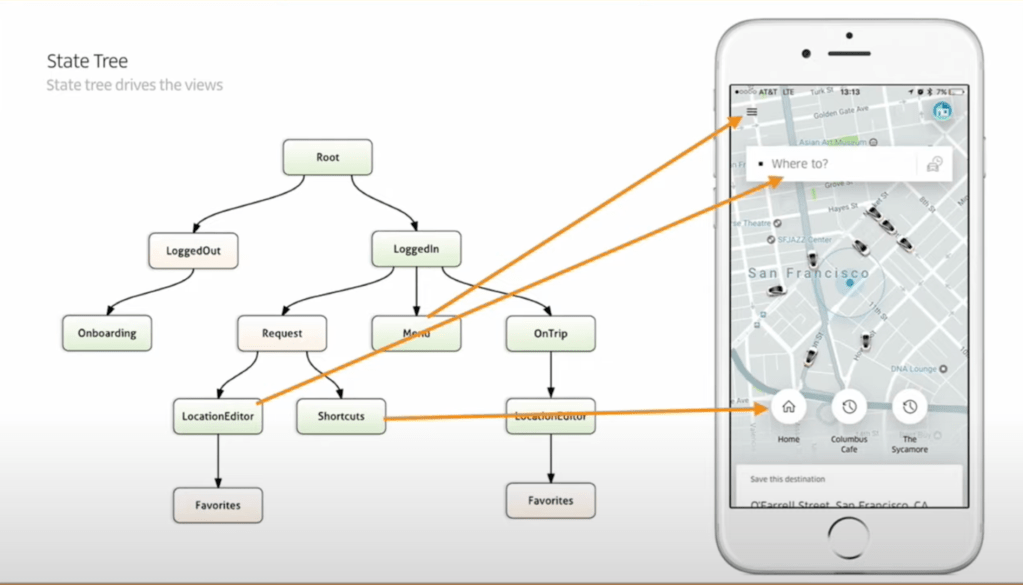
A RIB is a combination of Router/Interactor/Builder (plus Presenter/View, but I guess “RIBPV” doesn’t sound very good). Each RIB represents a state of the app, which can have sub-states as children.
For example, the root of the tree has two children: logged-out and logged-in. Every RIB under logged-in can safely assume that the user is logged in, and it has an authenticated user token 🔑 to prove it.
RIBs can present themselves hierarchically on top of each other on the screen. Some RIBs just do background support don’t show themselves at all.

Pretty cool, eh?
Okay, I’ll stop here since this is a conceptual overview (aka a teaser) and not a tutorial. ✋ For more details, see the original Uber presentation below or try it yourself.
Up next in the architectural series, we’ll attack The Composable Architecture, which is responsible for at least one cool game and, like RIBS, has a concrete implementation rather than just a bunch of vague ideas. 🙏
AirBnB’s iPhone app has a gigantic code base (1.5 million lines of first-party code), a giant mobile team (75 iOS engineers), and a long history (first commit: 2010).
Over time, their app got so big and complex that the project began to take minutes to open (not build) in Xcode. Developers had to use the USB port on the right side of their MacBooks to avoid thermal throttling. 🤦🏻♂️
Given all this sheer complexity, the team there made some clever adjustments to develop, test, and ship their app pretty efficiently. Check it out.
👉 Designing for Productivity in a Large-Scale iOS Application
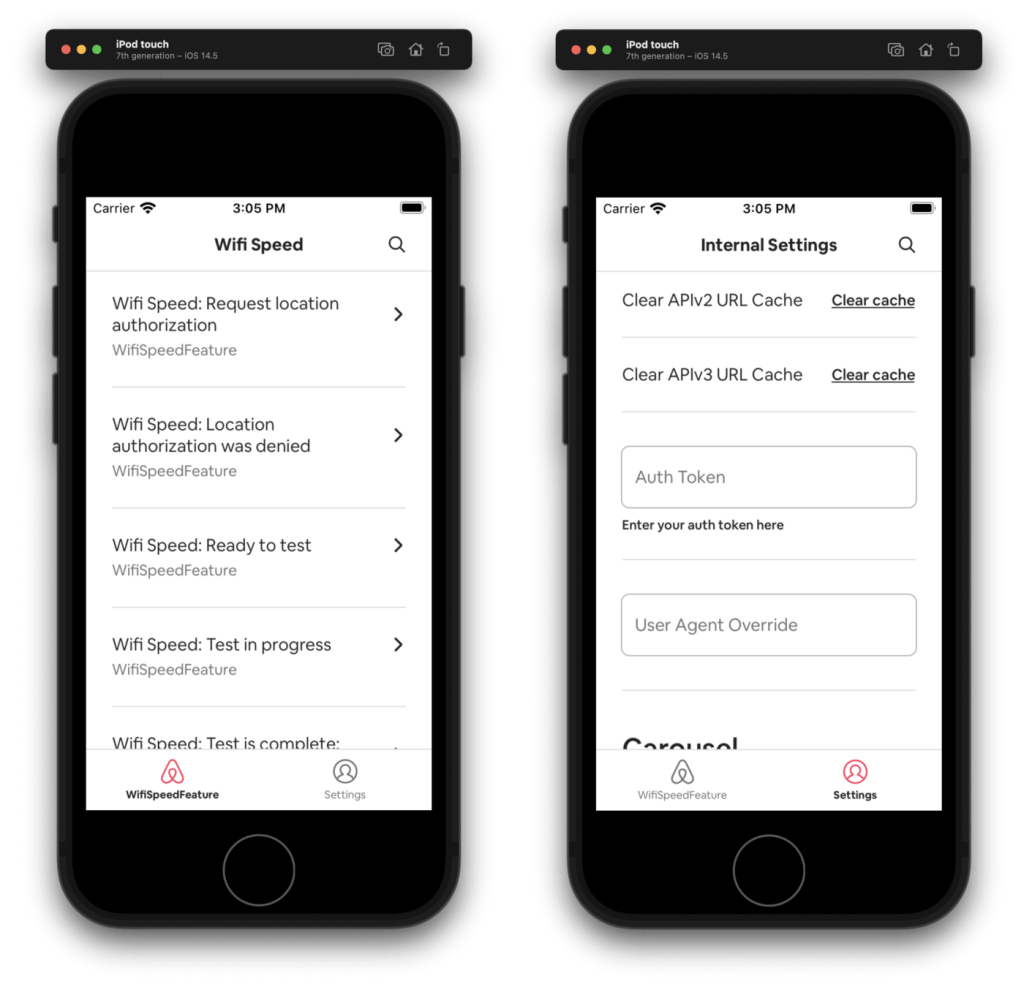
Among the highlights are independent modules called Dev Apps.
A Dev App allows a product developer to iterate on their feature’s UI and much of its business logic while building a fraction of the overall Airbnb application.
For dependencies across modules, module types allow for “visibility rules” to minimize and document dependencies.
Also, AirBnB uses the Buck build system to keep Xcode projects out of source control (bye bye, Xcode project merge conflicts).
via iOS Dev Weekly.
 Mental Break Town