Trying to make a good-looking app but not a designer or want a head start with ready-made UI designs? You can always try an app template. I did this a few years ago with part of one of my apps.
And here’s a modern new collection of iOS app templates written in Swift.
They seem to be basic UIKit apps, with no SwiftUI support. They is no authentication or backend support. They run on dummy data and free sample pictures. But from a purely UI / design perspective, these templates look they have good potential. They have templates for an e-commerce app, finance, fitness, food, media, reader, social, and travel.
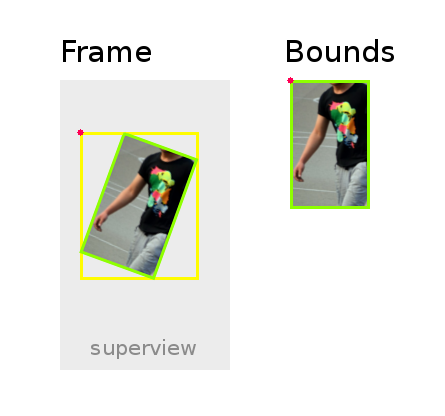
Frames and bounds are a really core concept in iOS development. They are both just rectangles in different coordinate systems. Simple, right? Well, not always. 🤦🏻♂️
If you ever still get lost on frames vs. bounds in iOS development, here’s a good quick summary.
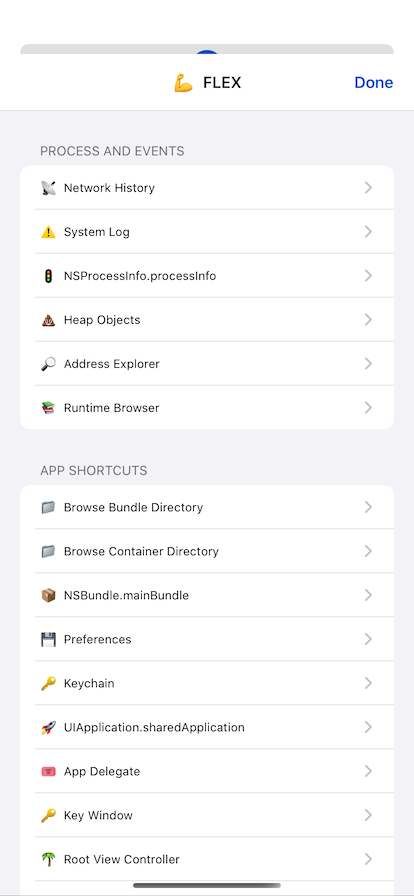
How did I not know about this? iOS in-app debugging, including network calls, view hierarchy, and basically anything else you can think of. On the device! No Xcode needed.
FLEX (Flipboard Explorer) is a set of in-app debugging and exploration tools for iOS development. When presented, FLEX shows a toolbar that lives in a window above your application. From this toolbar, you can view and modify nearly every piece of state in your running application.
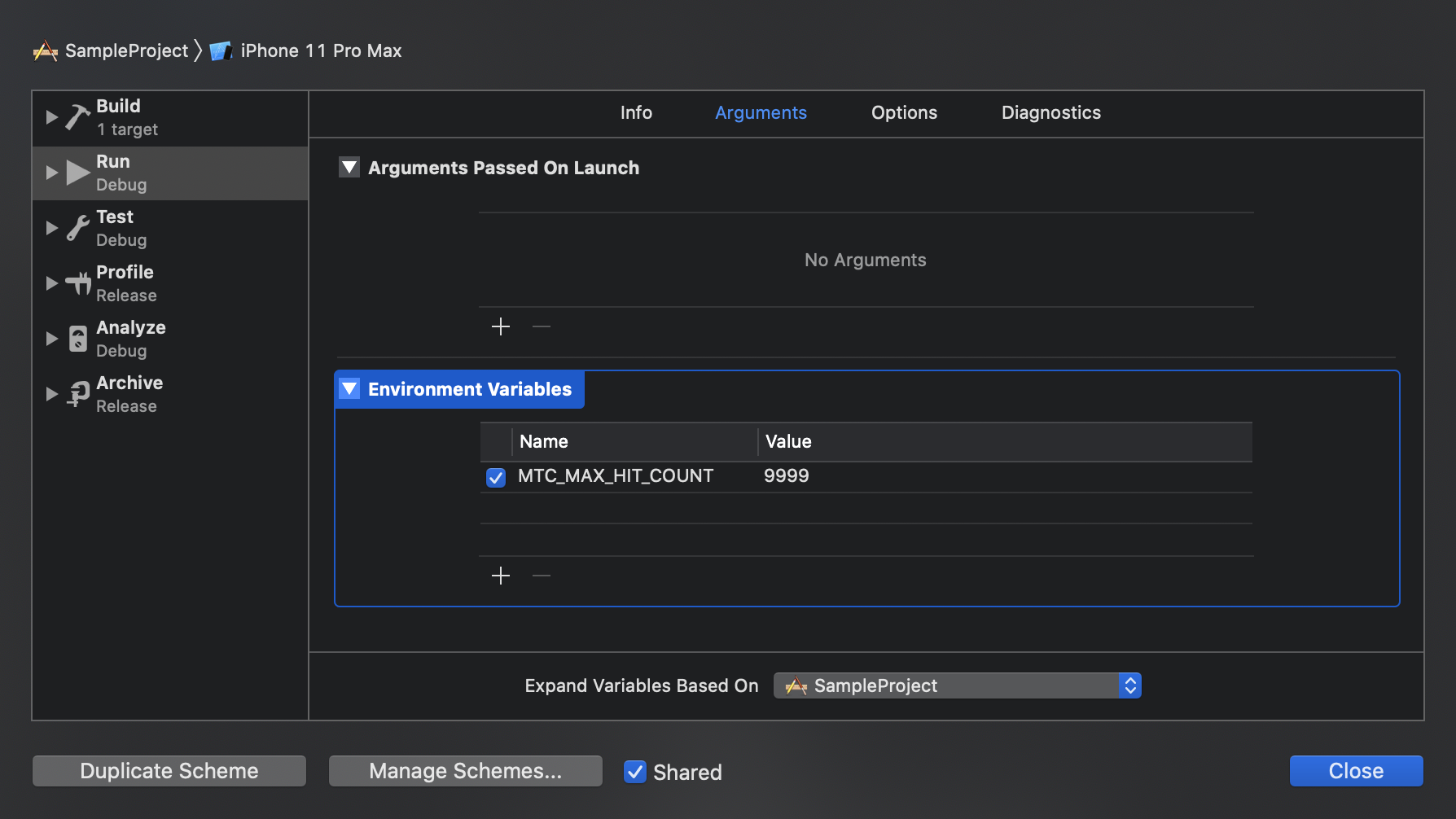
Apple has a really nice utility straightforwardly called the Main Thread Checker. It detect uses of APIs on a background thread that really should be on the main thread.
Updating UI on a thread other than the main thread is a common mistake that can result in missed UI updates, visual defects, data corruptions, and crashes.
And someone has put together a page documenting how to configure the Main Thread Checker for your own specific needs. It’s straightforwardly called Configuring the Main Thread Checker.
I’m a bit of a Facebook skeptic, but it’s really amazing that they had the guts to actually completely rewrite their Messenger app for iOS. That is such a gigantic effort that it basically doesn’t ever happen with popular apps at big companies. So kudos to Facebook for actually making that happen. 👉 Yay, Facebook! 🤷🏻♂️
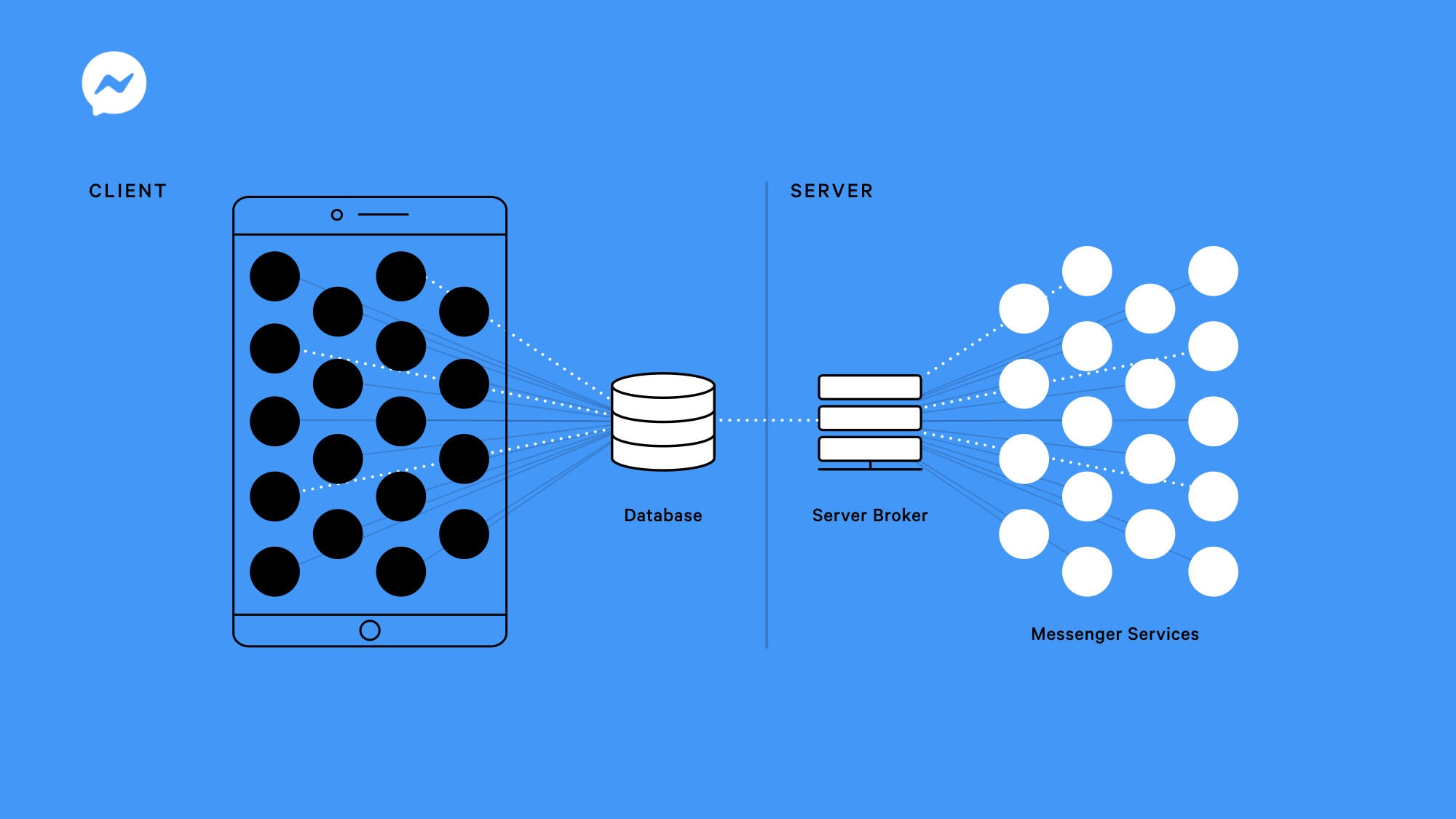
This post explains some of the design and architecture decisions they made. It’s interesting that Facebook, the company that invented the cross-platform React Native framework, went full native when rewriting their own app. In fact, one of their key principals in the rewrite was “Use the OS”.
While UI frameworks can be powerful and increase developer productivity, they require constant upkeep and maintenance to keep up with the ever-changing mobile OS landscape. Rather than reinventing the wheel, we used the UI framework available on the device’s native OS to support a wider variety of application feature needs.
They also use SQLite to create a sort of table-driven local business logic layer a custom platform “to orchestrate all access to the database, including queued changes, deferred or retriable tasks, and for data sync support.”
This is an example that all of us mobile engineers can take to our managers and demand a rewrite now! (Kidding / not kidding 🤓)


 Mental Break Town